
FEATURES
Every answer, one dashboard.
From the first click to the payment, see where your visitors came from, what they did and which source earned the revenue.
WHERE THEY COME FROM
Know every source behind your traffic.
Break visits down by channel, referrer, campaign and keyword. Click any row to filter the whole dashboard, for example to see only visitors from one launch tweet.
- Channels and referrers such as Google, X, Reddit and AI assistants
- Campaigns from utm_campaign, keywords from utm_term and ?ref= tags
- A link builder for tagged links, so posts show up by name
- Visitors and revenue side by side for each source


WHO THEY ARE
See where your audience is and what they use.
Understand the places and devices behind your numbers, then filter by any of them to compare behaviour.
- Country, region and city
- Browser, operating system and device
- Pages, entry pages and exit links
- Date ranges from today to all time, with previous and next stepping


WHAT THEY DO
Turn clicks into goals and funnels.
Add a data attribute to any button or link, or call one function from your code. Goals appear in the dashboard and can be used in funnels and filters.
- Button clicks and custom goals with properties
- Funnels that show where people drop out
- Outbound link clicks tracked automatically
- Identify a signed-in visitor to connect actions to a person
Signup funnel
<button data-ml-goal="signup_click">Get started</button>
THE FULL PICTURE
Follow every customer from first visit to payment.
A journey for each paying visitor shows their source, the amount, the time it took to convert and the pages and clicks in between.
- Source, spend and time to complete in one list
- A timeline: visit, pages, clicks, then payment
- Friendly stable names such as “brown fox” for anonymous visitors
- Search and open any visitor profile


LIVE VIEW
Watch visitors arrive in real time.
Press M on any dashboard to open the live view: every visitor on your site right now, on a 3D globe or a flat map, with a feed of pageviews, goals and payments.
- 3D globe or 2D map, light or dark
- Optional sounds for new visitors and payments
- On phones the map comes first; details and activity fold into accordions
- Map tiles from OpenFreeMap, no API key


OPTIONAL REVENUE ATTRIBUTION
See which source made you money.
Connect your own Stripe or Dodo Payments account, or send payments from your server. Revenue is credited to the visit that brought the customer, where consent and metadata allow it.
- Stripe with a restricted read-only key and signed webhooks
- Dodo Payments webhooks, plus a server-side payments API
- Revenue per visitor and conversion rate per source
- Entirely optional. Traffic and goals work without it


CRAWLER TRACKING
See which bots and AI assistants read your site.
Crawlers do not run browser scripts, so a small server-side snippet reports them instead. See which AI assistants, search engines and training bots visit, which pages they request and which return errors.
- ChatGPT, Claude, Perplexity, Google, Bing and more, matched by user agent
- Verified against each operator’s published IP ranges; spoofed bots are flagged
- Pages that returned 404 or other errors to a bot
- A Cloudflare Worker snippet or a plain HTTP API. Crawler IPs are never stored
Crawler visits
- ChatGPT-UserOpenAI1,017Verified
- OAI-SearchBotOpenAI705Verified
- ClaudeBotAnthropic641Verified
- GooglebotGoogle1,777Verified
- ChatGPT-UserUnknown IP3Outside published ranges
Verified when the user agent and the request IP both match the operator’s published ranges.
TEAMS
Share a website without paying per seat.
Invite teammates to individual websites as Viewers or Editors. They do not need a paid plan; the website owner’s plan covers usage.
- Viewers read reports
- Editors also manage funnels, rematch payments and edit the name and timezone
- Owners keep billing, credentials, invitations and deletion
Team & shared website
- OwnerBilling, credentials and deletion
- EditorFunnels, rematching payments, site name
- ViewerReads reports
No extra seat charge. The owner’s plan covers usage.
PRIVACY & CONSENT
Consent tools you control.
The tracker uses first-party cookies, so we do not describe it as cookieless. Build a consent banner in settings or connect your own manager, and hold tracking until permission is given.
- Optional consent banner builder with your name and privacy link
- Wait for analytics consent before any tracking request
- Withdrawal stops events and clears identifiers
- Consent and legal obligations remain the website owner’s responsibility
Optional consent banner
Your cookie preferences
Your website uses essential storage. With your permission it also uses visitor and session cookies to measure visits, pages and actions.
The tracker can wait for analytics consent. The banner covers Analytics by 5H3LL only; other tools need their own handling.
AI AGENTS
Let your agent read the numbers.
Connect an approved AI agent over OAuth and MCP to answer questions like “which AI sources brought paying customers this month?” from your own aggregate reports.
- Read-only access to the websites you choose
- Revoke any connection in Account settings
- No API keys to copy, no billing or deletion access
- A separate owner connection exists for service administration
Connect an agent
 Grok Bot
 Cursor
 ChatGPT
 Claude
 Hermes
 OpenClaw
- 1Choose the websites to share
- 2Approve a read-only MCP connection in your browser
- 3Ask your agent: “Which AI sources brought paying customers this month?”
Names are shown for compatibility and do not imply endorsement. Availability depends on each client. Access excludes API keys, payment credentials and individual visitor identities.
APP & THEMES
Installable, and easy on the eyes.
Install the dashboard as an app on your phone or desktop once you are signed in. Switch between Light, Dark and System themes any time.
- Installable web app with silent updates
- Light, Dark and System themes
- Responsive from phone to wide desktop
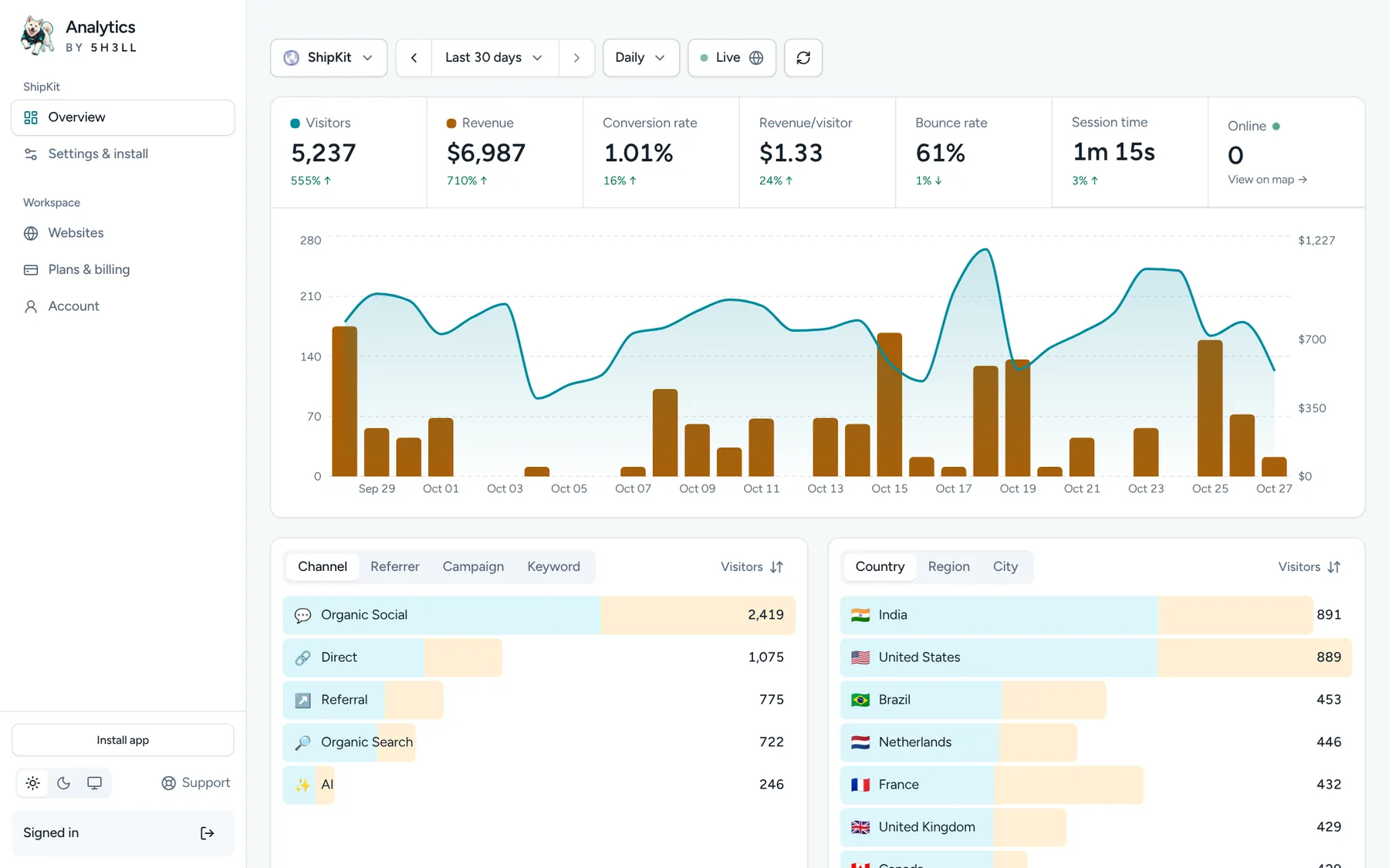
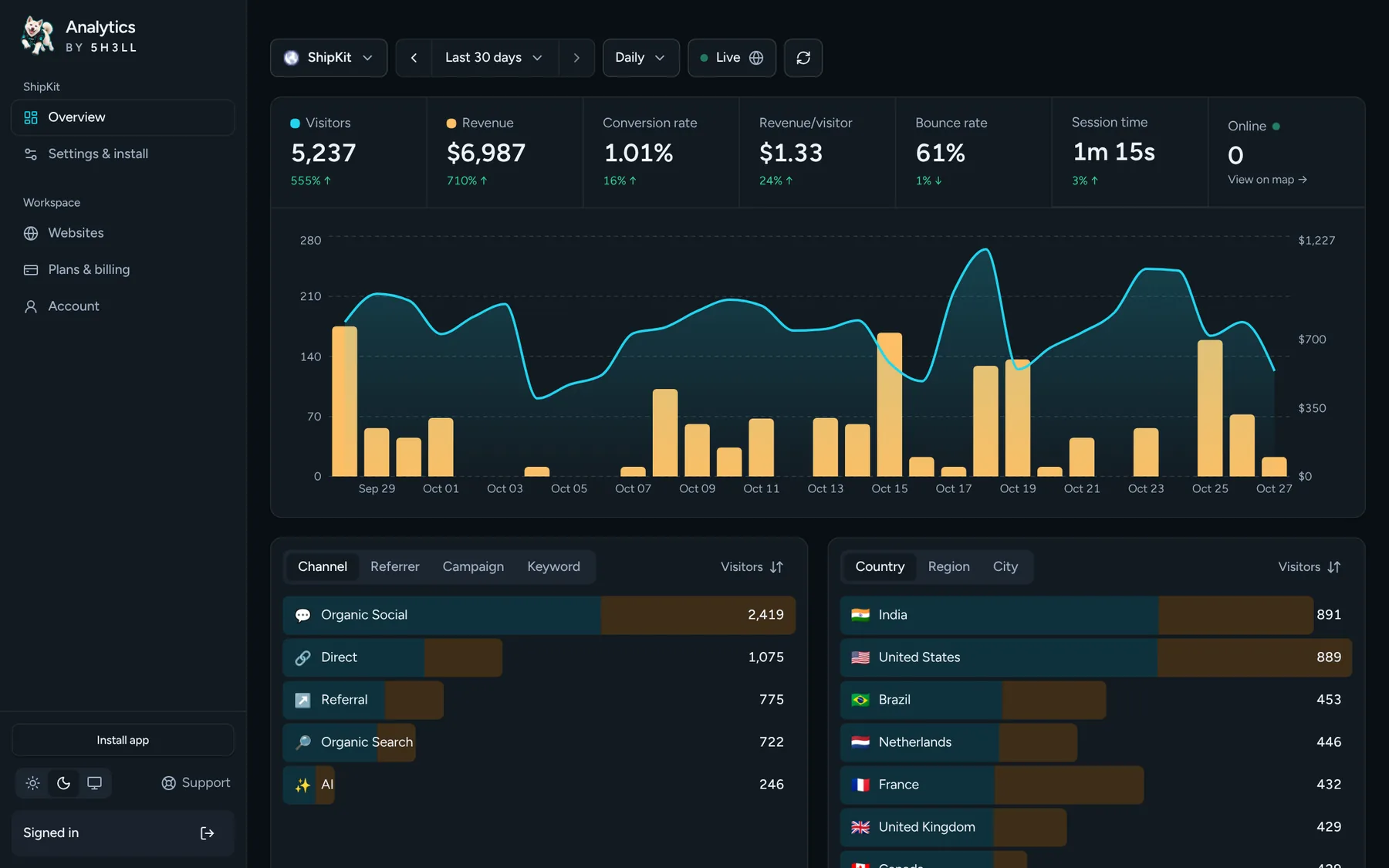
Light, Dark and System themes. Sample data.

MAKE YOUR NEXT MOVE WITH CONTEXT
Get to know the visits behind your business.
Explore your traffic, understand your visitors and measure what matters.
Cancel anytime on monthly plans · See refund policy